Interoperability
Connect to the hospital chart, with consent first.
Re-typing allergies and medications from a hospital printout causes errors. Condor uses the FHIR R4 standard to let a chart share them, and lets the cottage share what is going well.
MFA · Roles · Encryption · Audit log · Screens show sample data only
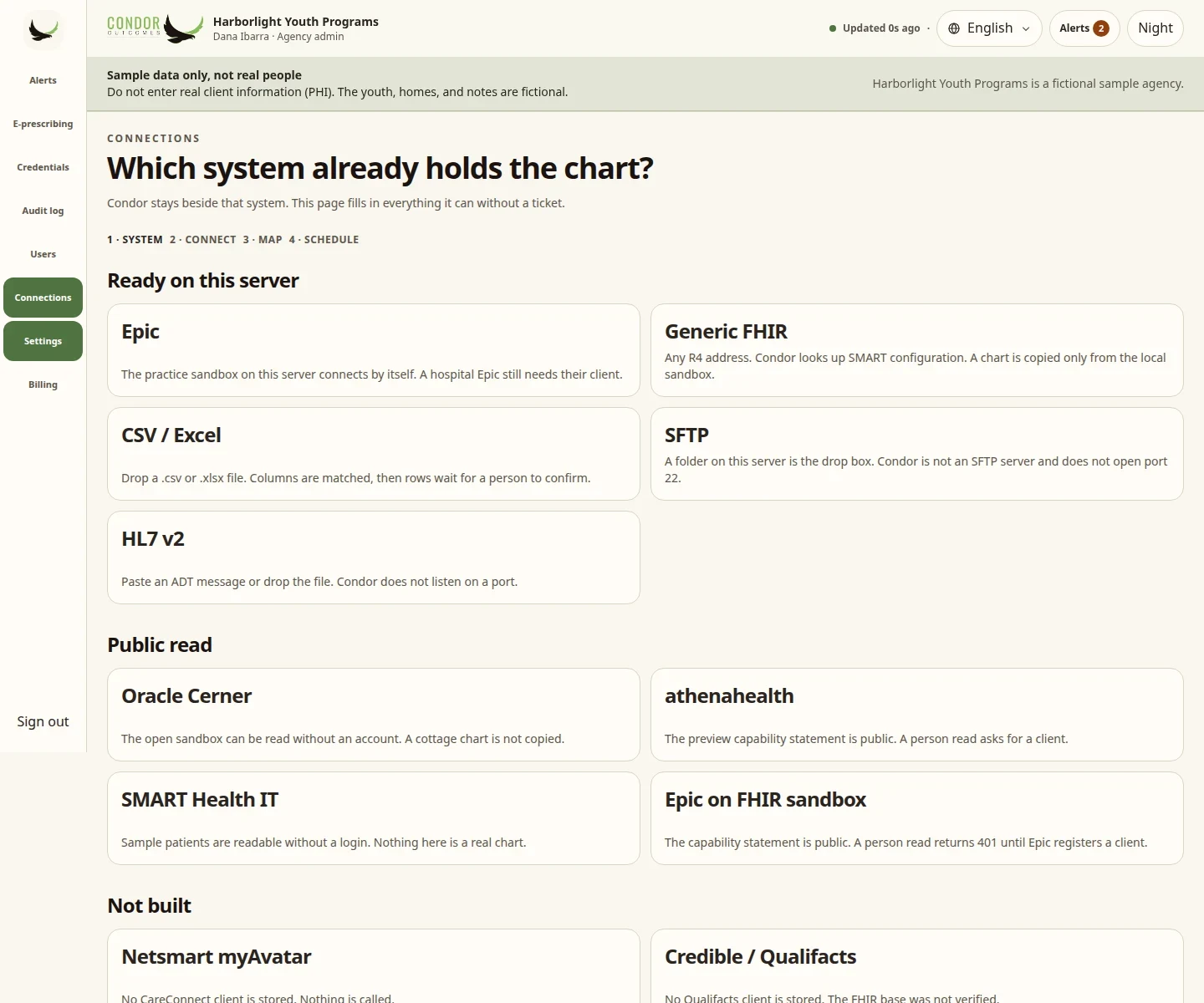
Integrations · Works with your system
Keep your EHR. Add Condor next to it.
Condor runs alongside the system you already use. No rip-and-replace. No data migration. Most programs can start with a file export in days. Condor connects through FHIR or file export where your system provides it, and the connection wizard walks you through it yourself.
Tested against the public Epic, Oracle Cerner and athenahealth sandboxes and generic FHIR servers. A production connection is set up per agency, with your EHR.
Upload a spreadsheet export. Condor maps the columns for you and shows a preview before anything is saved.
Your system drops a file on a schedule. Condor syncs it on its own, shows health status, and retries if a run fails.
Import admit, discharge and transfer messages as files. This is file-based; there is no live HL7 interface listener.
Pick a format, test it on sample rows, review matches, and turn it on. No ticket to file.
Other systems can read from Condor through a standard FHIR R4 API.
1. Scorecard first. Start with behavior tracking and the outcomes Scorecard. Your EHR stays the system of record.
2. Add MAR when ready. Turn on Condor’s eMAR for a house or a whole agency.
3. Add e-prescribing. E-prescribing through DrFirst is approved and coming soon.
Plain truth: Condor uses standard formats. It does not claim certified, official or real-time connections with any named EHR vendor. Systems such as Netsmart, Credible, Therap or PointClickCare can connect via FHIR or file export where your system provides it. How connections work →
A test in plain English
The problem
Integration screens are full of codes.
What Condor does
Add a connection step by step, then run a test that says what it found in plain words.
- Chart connections
- Plain-English test
- FHIR R4 API
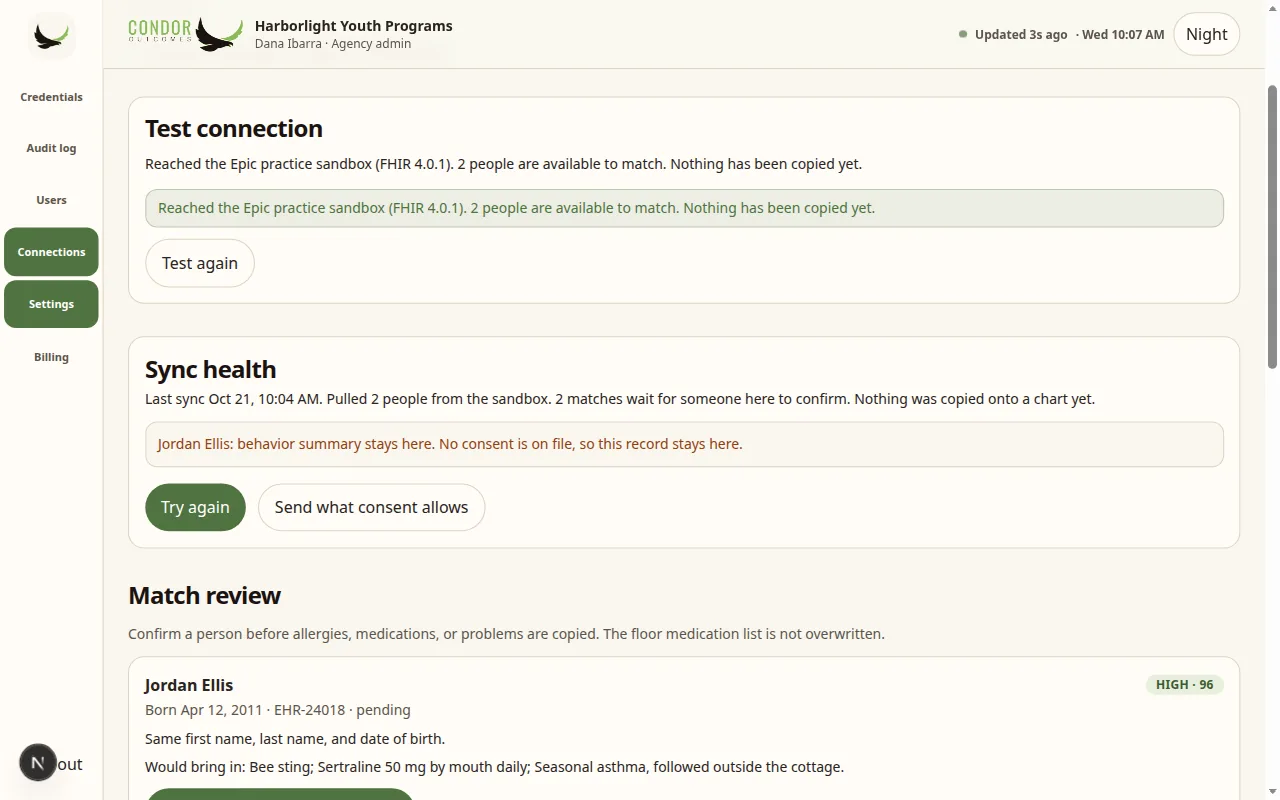
Match review and sync health
The problem
A wrong match puts one person’s data in another’s chart.
What Condor does
When a match is not certain, staff confirm it. Each connection shows consent and what has moved.
- Match review
- Connection detail
- Sync switches
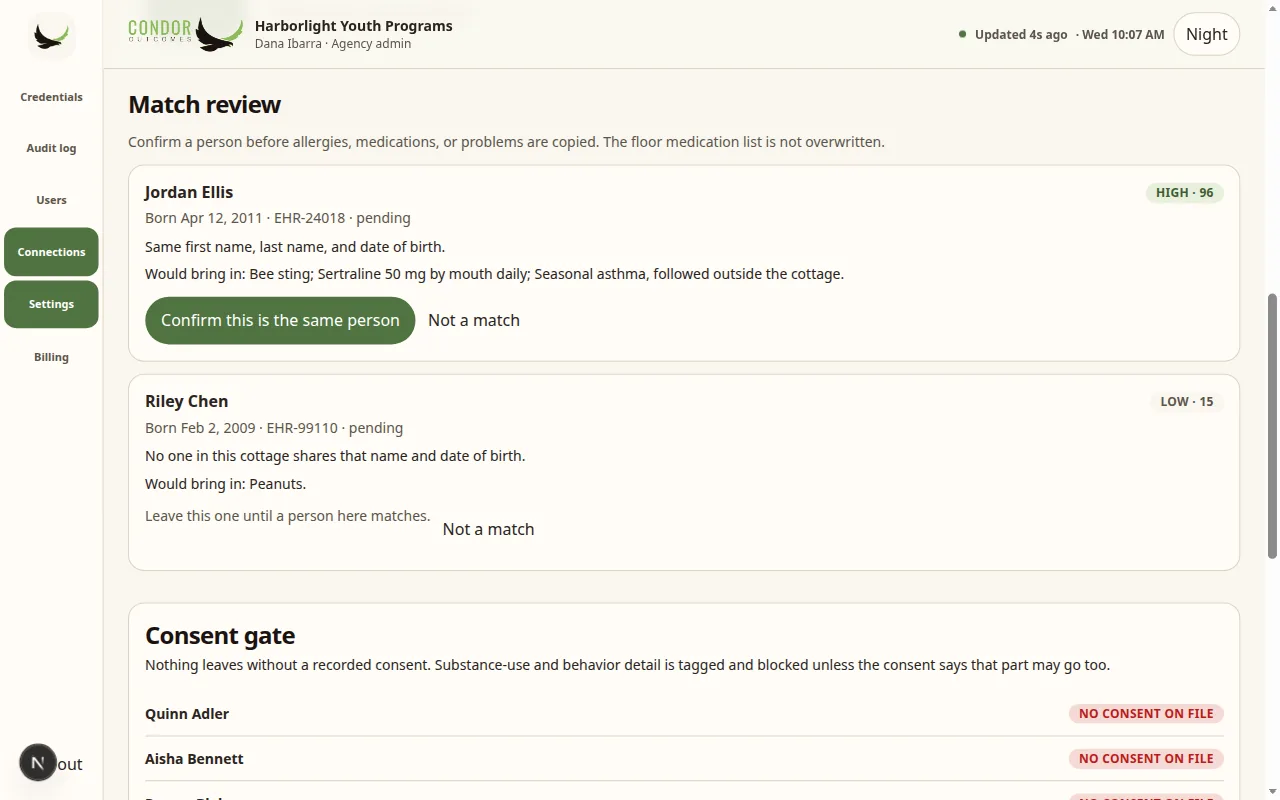
Consent comes first
The problem
Sharing the wrong record breaks trust and the law.
What Condor does
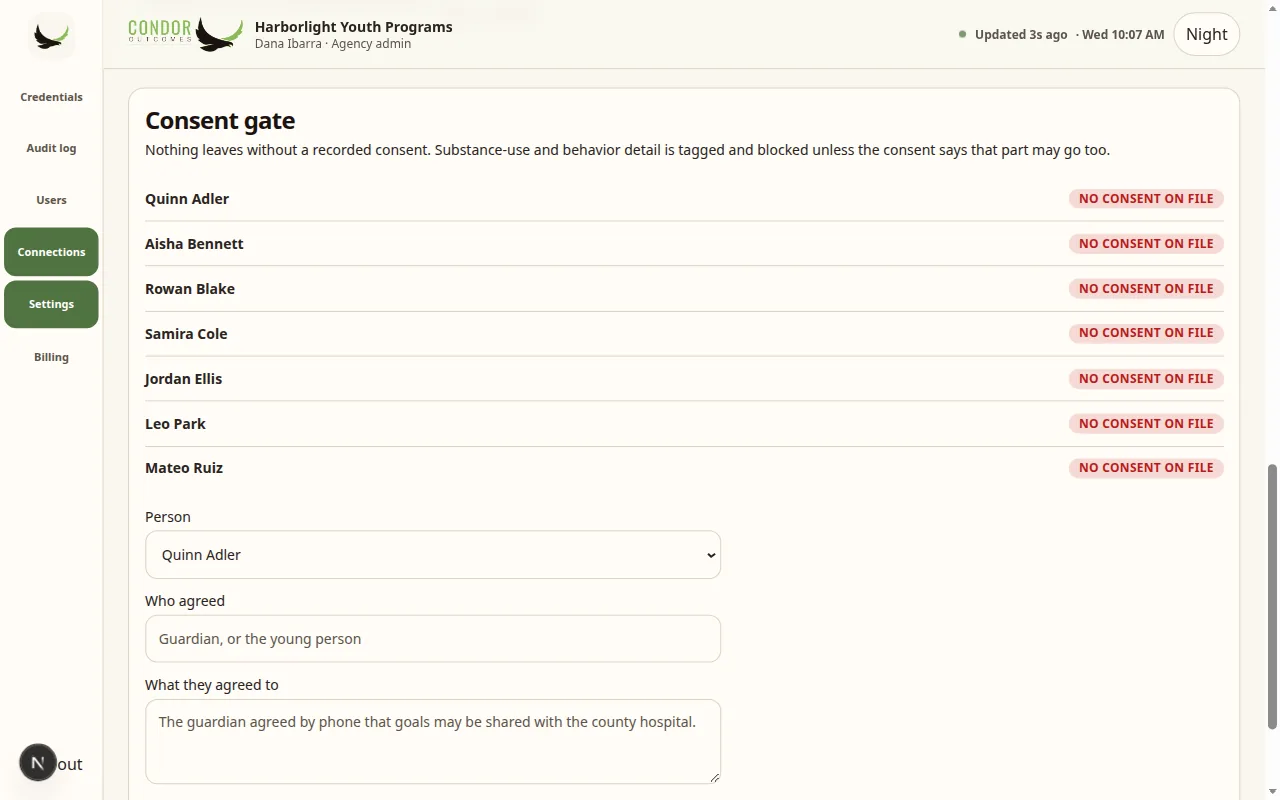
Nothing leaves until someone writes down consent. 42 CFR Part 2 records are blocked unless a recorded consent explicitly allows them.
- Consent gate
- Part 2 blocked by default
Honest limits
- Today Condor reads from public FHIR sandboxes. It is not listed with Epic and has no certified or live vendor partnership with Epic, Oracle Health or athenahealth.
- No QHIN or TEFCA, no Bulk FHIR export, no HL7 listener, no C-CDA and no Direct messaging.
- Blocking Part 2 by default is not a Part 2 certification.
It all comes back to the Scorecard
Every log, note, program and report in Condor feeds the Behavior Scorecard, and the Scorecard feeds Outcomes. One record, one picture of how each person is doing.
ScorecardOutcomesProgramsFeaturesFloorIncidentsMedsCensusLanguagesFamilySharingReportsRolesInteroperabilitySecurity
See it with your own program in mind
Try the demo: a made-up agency with sample data only, so never enter real client information. Or start a 14-day free trial with your own empty workspace.
Trial terms: no card, sign up yourself. After 14 days you get 3 days of grace, then read-only with your data kept.
Scorecard is $299/mo billed annually. Scorecard + MAR is $449/mo billed annually ($549 month to month). e-Prescribing add-on $79 per prescriber per month, coming soon. 14-day free trial, no card. White-label and partner options available, contact us. See pricing.