Census and occupancy
Know who is here, and how full you are.
Census lives on a clipboard and a spreadsheet, and billing asks for it at the end of the month. Condor counts from the names on the record and keeps the trend for you.
HIPAA-ready · SOC 2-ready · Screens show sample data only
A headcount from real names
The problem
Clipboard counts miss people and nobody can tell who checked.
What Condor does
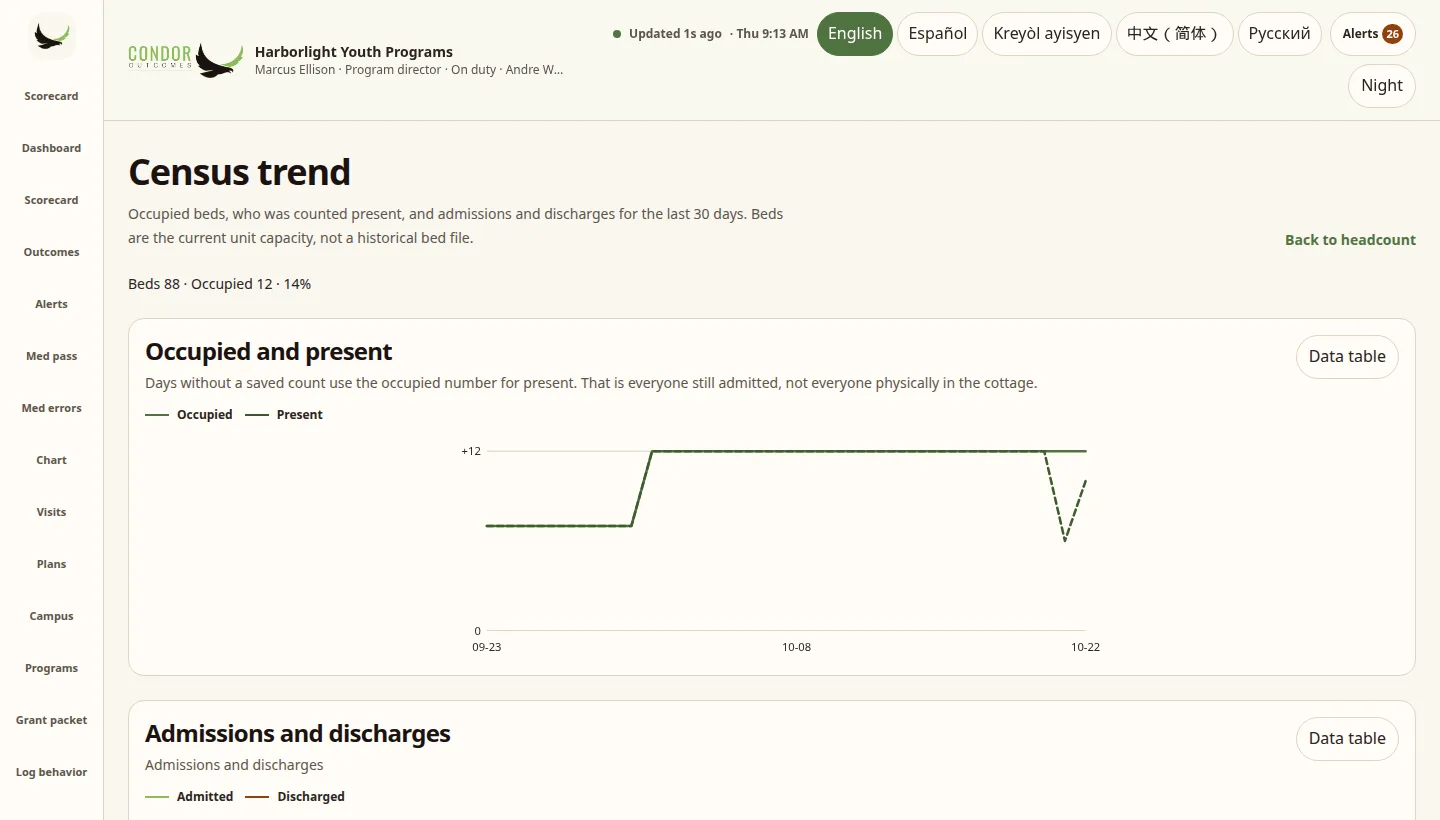
Start a headcount and every admitted person is listed by name and unit. Mark everyone present, then record the exceptions with a note. Each row says not verified until someone checks it. The first time census is opened each day, Condor saves a daily snapshot with the real time it was saved.
- Headcount by name and unit
- Mark remaining present, then record exceptions
- Daily snapshot, never backdated
- Not verified until someone checks the names
A month on one grid
The problem
Billing needs every day of the month, and paper sheets have gaps.
What Condor does
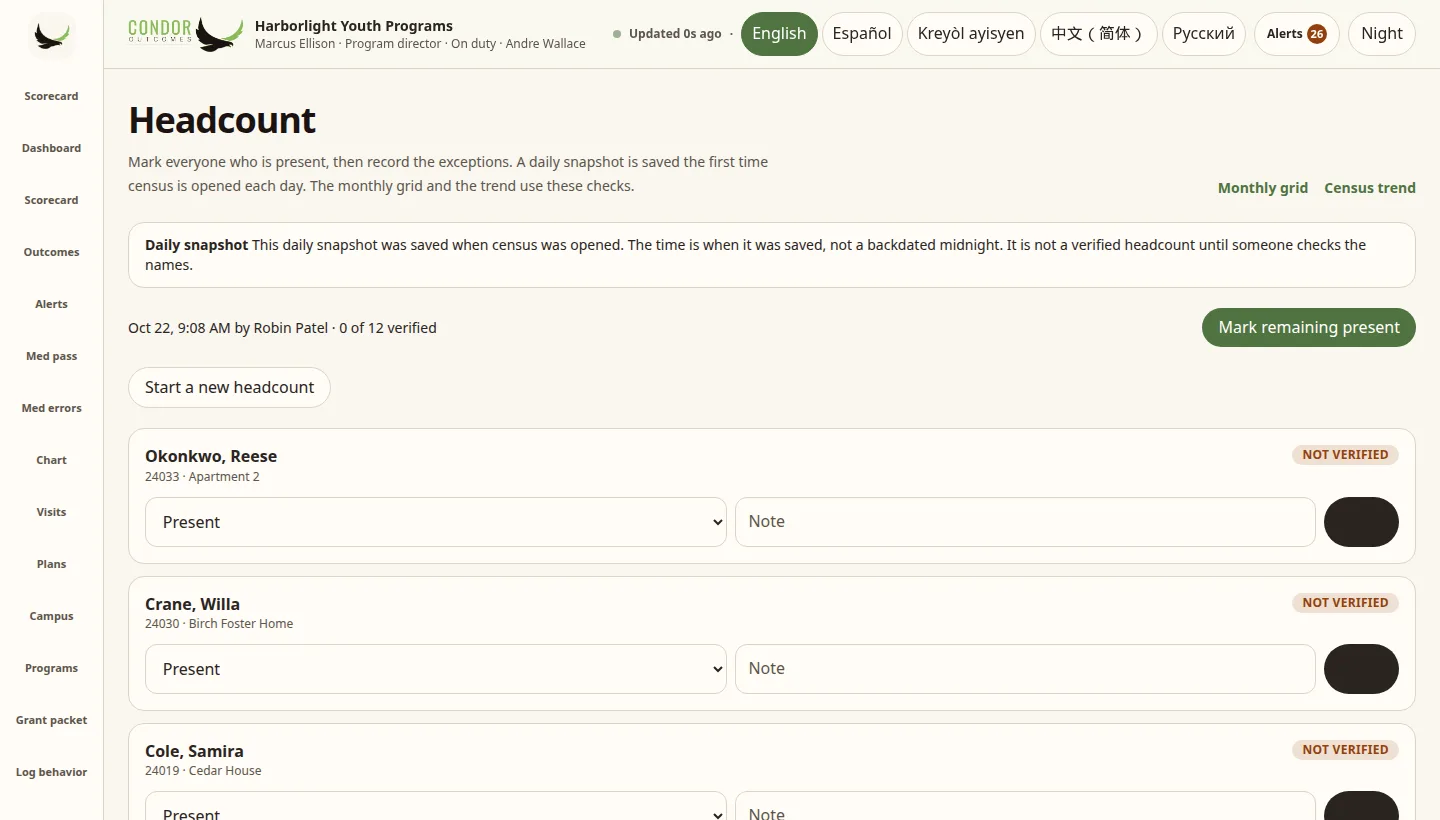
The census grid shows each person by day for the month you pick, with a short code for each day: admission, present, home visit, AWOL, court, hospital or medical, discharge, or off property. Export it as a CSV for billing.
- Month grid by person and day
- Plain codes with a key at the top
- Pick any year and month
- Census CSV for billing
Occupancy over 30 days
The problem
You cannot plan intake or staffing when you only know today’s number.
What Condor does
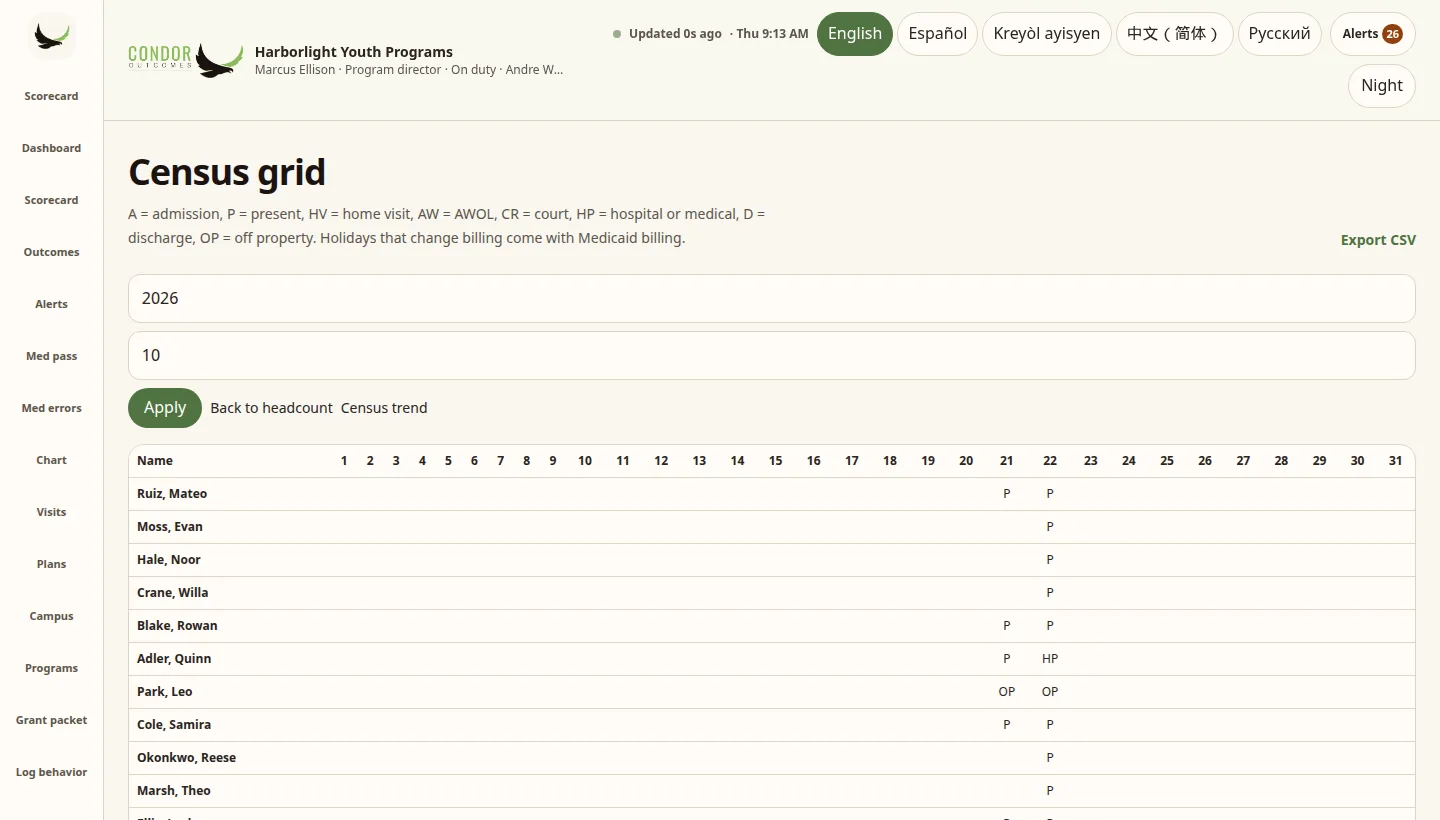
The census trend shows the last 30 days: beds, occupied beds and the percent full, overall and by unit, plus admissions and discharges by day. Every chart has a data table with the numbers behind it.
- Bed and unit occupancy
- Admissions and discharges by day
- Data table under every chart
- Built from the daily snapshot and headcounts
Honest limits
- Beds are the current unit capacity. Condor does not keep a history of bed changes.
- The census CSV is a spreadsheet for your billing team. It is not a Medicaid claim or a state file.
- Census needs a connection. It does not queue offline.
It all comes back to the Scorecard
Every log, note, program and report in Condor feeds the Behavior Scorecard, and the Scorecard feeds Outcomes. One record, one picture of how each person is doing.
ScorecardOutcomesProgramsFeaturesFloorIncidentsMedsCensusLanguagesFamilySharingReportsRolesInteroperabilitySecurity
See it with your own program in mind
Try the demo: a made-up agency with sample data only, so never enter real client information. Or start a 14-day free trial with your own empty workspace.
Trial terms: card required, nothing charged for 14 days, cancel anytime before the trial ends.
Complete is $449/mo billed annually (Founders’ Rate), or $549 month to month. White Label: Contact us. See pricing.