For I/DD, residential and human-services providers
See every house and program in one view, before the report is due.
Wins and concerns side by side, by program, house and shift.
Condor is behavior tracking software that puts wins and concerns side by side on a live Scorecard, by program, house and shift. Staff get credit for good work. Leaders see the whole picture without waiting for month end. It runs next to your current EHR, and you set up the connection yourself.
The demo is a made-up agency with sample data, so you can click around on your own. No call, no card. The trial needs no card either. After 14 days you get 3 days of grace, then the account goes read-only and your data is kept.
Three reasons leaders start here
-
Runs alongside your current EHR
No migration. No IT project. You set up the connection yourself.
How it connects -
One live view across every program and house
Stop rebuilding survey and board reports by hand.
See Outcomes -
eMAR and shift notes in the same place
Doses given, refused or missed, with the shift around them. A behavior change has a reason next to it.
See the eMAR
For executive directors, COOs, program directors and QI
Sound familiar?
You only see what went wrong
Your system tells you about incidents. It doesn’t show you what’s working, or where.
Survey week is a scramble
When OPWDD or another state reviewer asks for proof, staff dig through binders, spreadsheets and the EHR to piece it together.
No view across the agency
Every house and program keeps its own count, so nobody sees the whole picture until month end.
Good staff work goes unseen
The shift that turned a hard night around never shows up anywhere. People notice when only mistakes get written down.
Reports are rebuilt by hand
Board, funder and grant reports get retyped every month from the same notes.
Notes, incidents and meds live in different places
Direct support staff write the same details in shift notes, incident forms and the MAR. Condor keeps them in one record.
What the paperwork costs
Hand counts and retyped reports take hours away from the floor. Here is what one residential campus reported with the system Condor is built on.
Lincoln Hall
1,600+ hours
Projected annual savings among supervisory staff
Lincoln Hall
50% decrease
In medical paperwork time
Reported during Lincoln Hall’s residential operations with CMS, the foundation of Condor Outcomes. Read the case study.
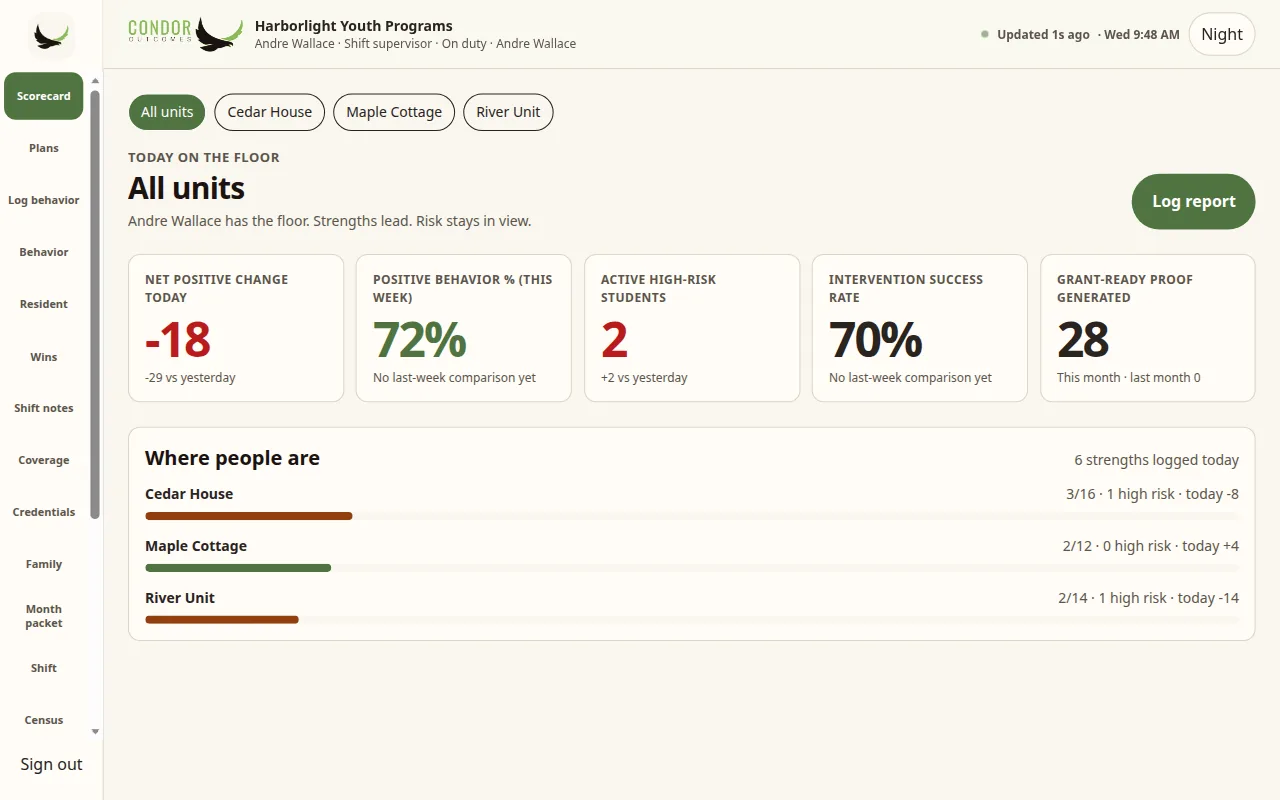
The live Behavior Scorecard
Wins, concerns and safety, side by side.
Most systems are built to record incidents. The Scorecard is built to show the full picture, so you can reinforce what works and act early on what doesn’t.
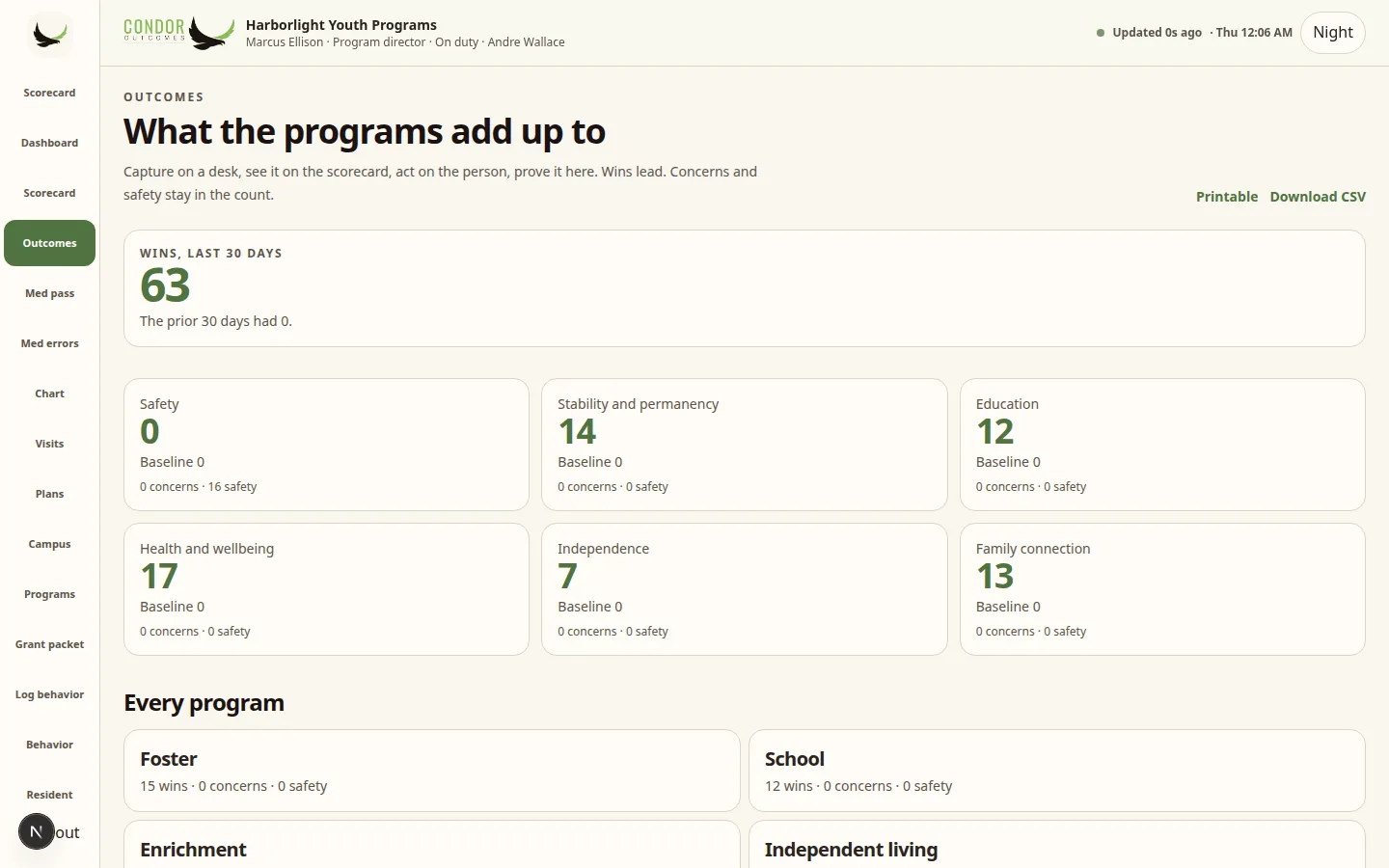
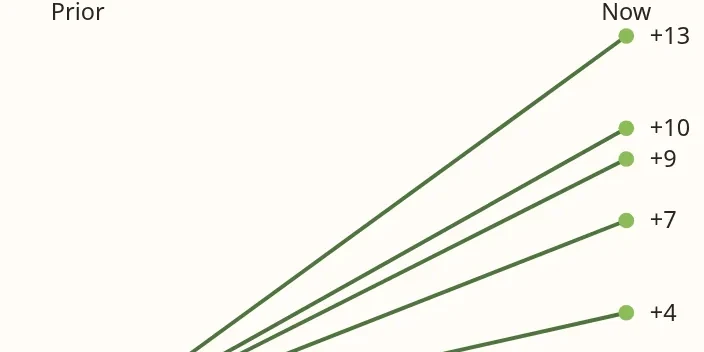
- By program. Each program shows its wins against the prior 30 days, next to its concerns and safety counts.
- By house and shift. Filter the Scorecard by house, shift or staff member, to coach where it helps.
- Kudos for staff. Supervisors log a shout-out for good work, so it is on the record next to the incidents.
- Built for coaching, not policing. The point is to see what works and do more of it. Condor does not score or rank employees.
How it works: Capture, See, Act, Prove
From the hallway log to proof for your board and funders.
Capture
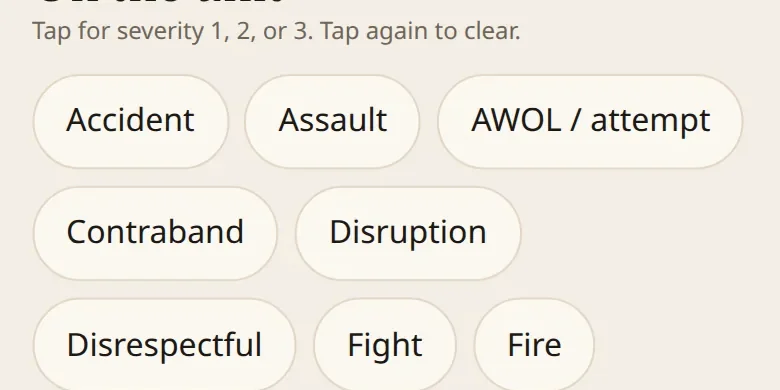
Staff log wins, concerns and notes in two taps during the shift, even offline.
See
The Scorecard updates as staff log, by program, house and shift.
Act
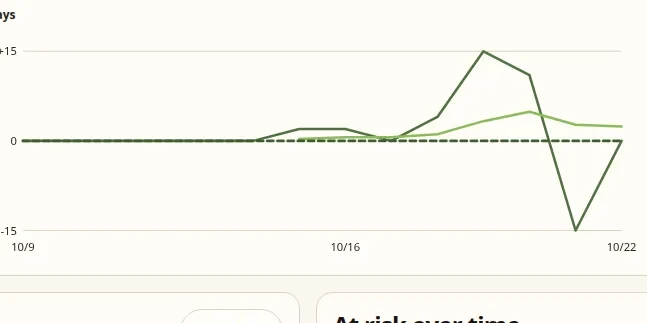
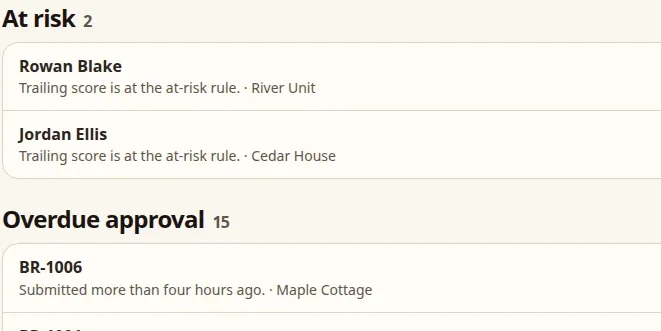
The on-screen alert center and at-risk flags show who needs follow-up while it still helps.
Prove
Trends, month packets and grant packets come from the same record. No retyping.
Ready for survey week and funder reporting
For most leaders, the reporting pressure is harder than the daily logging. Condor builds the record as the work happens, so the evidence is there when someone asks for it.
- Month packets and grant packets generated from the same record staff already use
- Trends over time for boards, funders and state reviewers
- A hash-chained audit log of who did what
- Incidents, notes and medications connected in one place

Lincoln Hall (residential program in transition)
Used on a real campus
Lincoln Hall is undergoing a strategic transition and is not closing. Following the end of a federal placement contract, the organization paused its residential program while it works with partners to shape its next chapter. This reflects the platform’s use during Lincoln Hall’s residential operations, on CMS, the foundation of Condor Outcomes.
“The platform… saved thousands of hours of documentation. I believe the introduction and ongoing use of this system has been one of the most important developments in Lincoln Hall’s recent history.”
Read the full case study“Staff now has a real-time view of every student’s academics, health, and activities. Forms are digital and self-populating — it’s simplified and streamlined so many things.”
Self-serve connection setup
Keep your EHR. Connect it yourself.
Condor runs next to the system you already use. No rip-and-replace and no data migration. You can start with a spreadsheet export on day one. The connection wizard walks you through it: pick a format, test it on sample rows, review the matches, and turn it on. No ticket to file.
Tested against the public Epic, Oracle Cerner and athenahealth sandboxes and generic FHIR servers. A production connection is set up per agency, with your EHR.
Upload a spreadsheet export. Condor matches the columns for you and shows a preview before anything is saved.
A per-agency inbox folder that Condor checks on a schedule for CSV, Excel or HL7 files, with health status and retries. It is set up with each agency and is not an SFTP server.
Import admit, discharge and transfer messages as files. There is no live HL7 interface listener.
Plain truth: Condor uses standard formats. It does not claim certified, official or real-time connections with any named EHR vendor. Systems such as Netsmart, Credible, Therap or PointClickCare connect today through a file export (CSV, Excel or HL7 v2 ADT). A production FHIR connection is set up per agency. How connections work →
Add-on · Scorecard + MAR
Add the eMAR when you are ready.
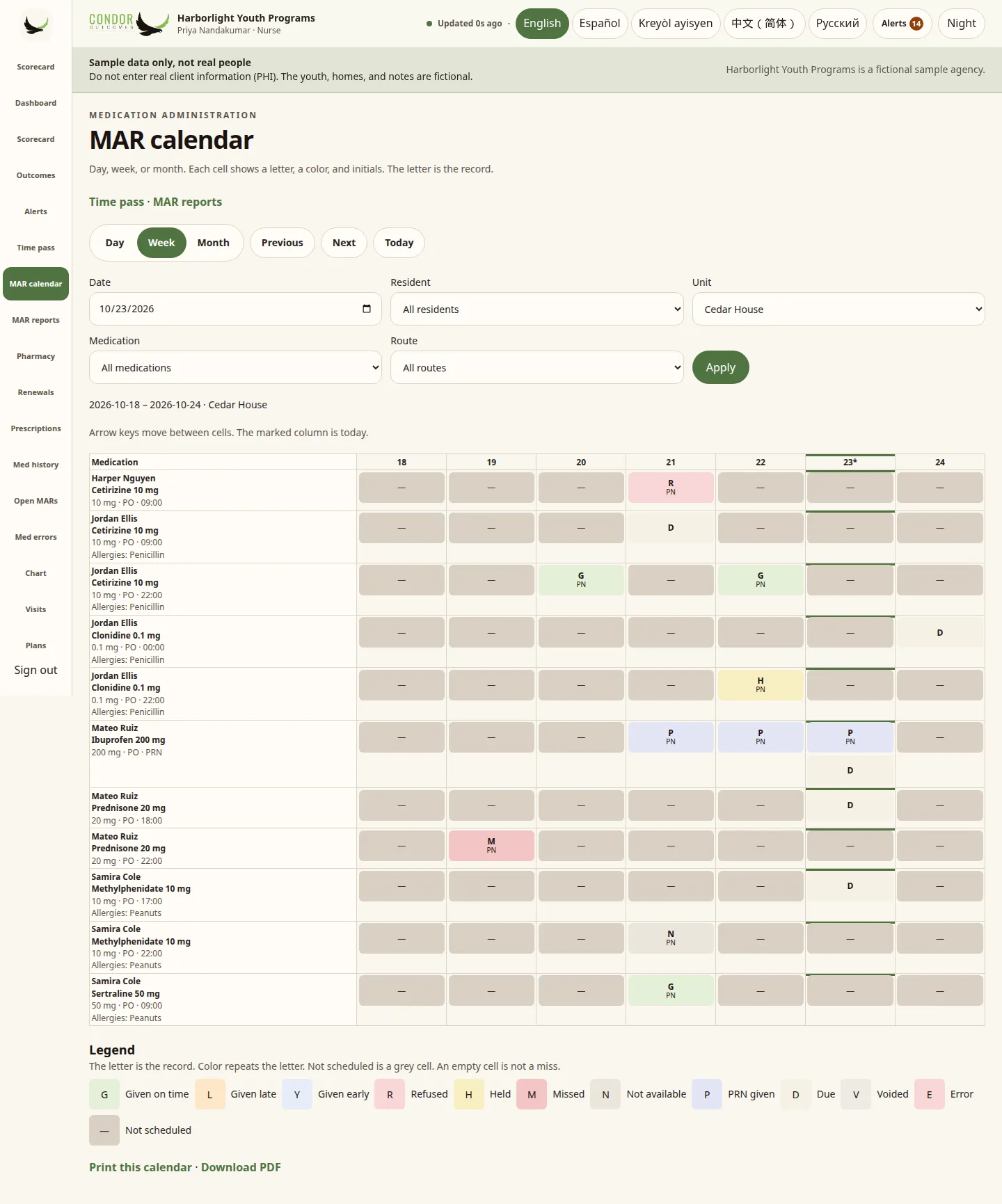
Turn on Condor’s eMAR for one house or the whole agency. Med pass, PRN follow-ups, med errors and the MAR calendar sit next to the Scorecard and shift notes. E-prescribing through DrFirst is approved and coming soon.
More than a scorecard
Condor covers the rest of the floor too, all in one record.
-
Incidents and safety
Log and follow incidents next to the notes and behaviors around them.
Learn more -
Census and occupancy
See who is in each house and program.
Learn more -
Family portal and sharing
Give families and support people the access you decide on.
Learn more -
Staff credentials
Keep training and credentials in view.
Learn more -
Languages and translation
Support staff and families in more than one language.
Learn more -
Mobile and offline
Log during the shift, even without a connection.
Learn more
Security, in plain words
- An authenticator is required before anyone opens real resident records
- Roles decide who sees what. Direct care sees their unit
- All traffic uses HTTPS. Data is stored with Neon, which encrypts storage at rest
- A hash-chained audit log of who did what
- Sessions end after 15 minutes idle
- Part 2 records blocked by default
Condor has not completed a SOC 2 or HIPAA audit and holds no certification. Read the full security page →
Simple pricing
14-day free trial on both plans. No card, sign up yourself.
Scorecard
$299/month billed annually
$369 month-to-month
Behavior tracking, the live Scorecard, alerts, outcomes reports, incidents, census and family portals. Connects to the EHR you already use.
Scorecard + MAR
$449/month billed annually
$549 month-to-month
Everything in Scorecard, plus Condor’s eMAR. E-prescribing through DrFirst is coming soon at $79 per prescriber per month.
After the trial you get 3 days of grace, then read-only with your data kept. White-label and partner options are available. Contact us. Full pricing →
Who it’s for
Primary: I/DD, residential behavioral-health and human-services agencies of about 20–200 staff, with more than one house or program, that want to see what is working, not just next week’s incident report.
Also fits
I/DD group homes
Strengths, wins and shift notes for the people you support, in one place.

Also fits
Special schools
IEP-minded progress, live. No binder rebuilt on Friday.

Also fits
Youth residential
Positive reinforcement, alerts and family portals in one place.

Also fits
Secure programs
Audit-minded logging for programs that cannot lose the trail.
Questions leaders ask
What is Condor Outcomes?
Condor Outcomes is behavior tracking software for residential behavioral-health and human-services agencies. Its live Behavior Scorecard shows wins and concerns side by side, by program, house and shift, and runs next to your current EHR. Condor’s eMAR is an optional add-on.
Do we have to replace our EHR?
No. Condor runs alongside it. You can start with a file export (CSV or Excel, a scheduled drop folder, or HL7 v2 ADT files) in the self-serve wizard. A production FHIR R4 connection is set up per agency. Your EHR stays the system of record.
Is this a way to watch staff?
No. Condor is built to show what is working and give staff credit for it. Supervisors can log kudos for good work and filter the Scorecard by shift or staff member when coaching. It does not score or rank employees.
How long does setup take?
You can load a spreadsheet export on day one with the connection wizard. You don’t need a ticket or an IT project.
How much does Condor Outcomes cost?
Scorecard is $299/month billed annually ($369 month-to-month), and Scorecard + MAR is $449/month billed annually ($549 month-to-month). Start a 14-day free trial with no card, or try the demo first.
See what’s going right in your programs
Open the live demo and click around a sample agency on your own. No call, no card. Prefer a guide? Book a 15-minute walkthrough. Questions? Email support@condoroutcomes.com.
Condor Outcomes is behavior tracking and human services software for residential behavioral health: a live Behavior Scorecard that shows wins and concerns by program, house and shift, next to your current EHR, with an optional eMAR, census, incident management, family portals and grant-ready reporting.
Related pages
- Behavior Scorecard software →
- Behavioral health EHR for residential programs →
- Behavior tracking software for group homes →
- Residential treatment center software →
- eMAR software for group homes →
- Incident management software →
- Outcomes reporting software →
- Everything Condor does →
- Condor Outcomes FAQ →
- How to choose a behavioral health EHR →
- Behavior management software →
- I/DD behavior tracking software →